

Every writer has habits — some helpful, others invisible until it’s too late. They show up when you reread a paragraph and realize you’ve used “in today’s fast-paced world” for the third time on the same page, or when an editor flags your seventh passive construction in what was supposed to be a punchy pitch.
These aren’t dramatic errors. But repetition, clichés, and fuzzy phrasing can sap clarity and undermine authority — and even the most experienced writer can miss them. The brain fills in what it meant to say, and the eye glides over familiar turns of phrase. It’s nearly impossible to revise without bias.
That’s where AI comes in — as a second set of eyes and a neutral second opinion.
“Generative AI is not a replacement for human creativity,” said OpenAI CEO Sam Altman. “It’s a tool that can augment and enhance it. It has the potential to democratize access to creative tools and empower people to express themselves in new and exciting ways.”
In writing, that empowerment often shows up as precision. Tools like Grammarly, Hemingway Editor, and ProWritingAid use a mix of machine learning and pattern recognition to flag what we overlook: overused words, passive voice, tangled syntax.
So how do these tools work? What do they catch — and where do they fall short?
Most importantly, how do we use them without losing what makes our writing ours? This blog breaks it down, one habit at a time.
Why These Mistakes Slip Through
Writers don’t miss patterns because they’re careless — they miss them because they’re too close to the work.
This is a well-documented phenomenon. In psychology, it’s known as the bias blind spot — our tendency to recognize bias in others but struggle to detect it in ourselves. A foundational study by Pronin, Lin, and Ross (2002) showed that we routinely underestimate our own linguistic habits, overestimating clarity and originality in our writing.
That’s why a cliché doesn’t look like a cliché when we write it. Why “leveraging innovative solutions” sneaks in again. Why “was completed” shows up instead of simply “completed.”
We’re seeing intent instead of mechanics.
And it’s not just beginners. Experienced writers also default to familiar phrasing under pressure — email drafts, blog intros, client memos.
Fast writing invites easy choices, and that’s when the mistakes creep in.
This is where AI can help — not because it’s smarter, but because it’s detached. It reads for rhythm, flags repetition, and analyzes structure with statistical objectivity. That’s why external feedback so often improves bias awareness.
Enter the Machine
At first glance, it feels like magic: paste a few hundred words into an app and instantly see every passive phrase, every overused “actually,” every vague verb.
But it’s not magic — it’s pattern recognition.
Tools like Grammarly, Hemingway Editor, and ProWritingAid use natural language processing (NLP), statistical modeling, and rule-based algorithms to detect writing patterns that humans often overlook.
While each tool has its own engine, they all operate on the same core principle: language follows patterns, and those patterns can be learned.
Grammarly uses large-scale language models to assess grammar, tone, and clarity. Hemingway Editor applies rule-based logic to flag long sentences, adverbs, and passive voice. ProWritingAid combines these approaches, identifying clichés, repetitive sentence structures, and pacing issues across full documents.
As Science Editor noted, “These tools don’t truly understand what we write, but they can still offer surprisingly valuable feedback through sheer pattern awareness.” That awareness is based on massive datasets and machine learning models trained not just on ideal language use, but on how people actually write.
The result is a kind of co-editing relationship. AI serves as the fast, detached, pattern-sensitive first-pass reader — freeing the writer to focus on intent and nuance.
Grammarly
Grammarly’s strength lies in more than just grammar. It enhances creativity without flattening voice. Rather than simply flagging a weak phrase, it offers stronger alternatives that align with your tone.
This echoes what Jon Friedman, Microsoft’s head of design, said: “AI is transforming design from creating to editing and orchestrating ideas. It should be embraced as a collaborative tool, enabling makers to better realize their vision.”

Millions of writers rely on Grammarly not only for spelling and grammar checks but for real-time feedback on tone, clarity, and delivery.
It uses layered language models to analyze both mechanical errors and contextual nuances. It flags repeated words, suggests clearer phrasing, and explains why each fix matters.
What sets Grammarly apart is its adaptability. Users can define goals for tone, formality, and intent. Whether you’re writing a friendly newsletter or a sharp legal brief, Grammarly adjusts its feedback accordingly. That flexibility makes it indispensable for professionals who switch writing styles throughout the day.
Hemingway Editor
While Grammarly adjusts to tone, Hemingway prioritizes structural clarity. It’s especially useful for technical writers, academics, and anyone refining dense drafts.
Hemingway strips writing down to its essentials: direct language, active voice, and short sentences. Its simplicity is both a strength and a limitation. Feedback is blunt — it points and says, “Fix this.” There’s no nuance, no variety in suggestions.
But that’s also its value, especially in early drafts. It cuts through fog and forces clarity.
In the larger creative context, Hemingway fits into a growing idea in tech: that AI can act as a co-creator. As Björn Ulvaeus said, “It’s like having another songwriter in the room—one who never sleeps and knows every song ever written.” Hemingway won’t inspire new ideas, but it’s ruthlessly effective at cleaning up what’s already on the page.
ProWritingAid
If Grammarly is your everyday assistant and Hemingway is your blunt mentor, ProWritingAid is your full-service editing suite. It gives you a deep dive into your habits, patterns, and long-term writing trends.

Its greatest strength is depth. ProWritingAid doesn’t just catch repeated words — it generates detailed reports on sentence variation, pacing, vague language, dialogue tags, and more.
Its overused word tracker compares your usage to recommended benchmarks.
ProWritingAid is ideal for longer works like novels, academic papers, or nonfiction books. It integrates with Scrivener and Word, making it easy to work within complex projects.
The technology combines rule-based systems and machine learning. Its pattern-matching engine is one of the most transparent, giving writers granular control over which suggestions to apply. What you get isn’t just a cleaner sentence — it’s a clearer picture of how your writing behaves.
When the Machine Misses
As useful as they are, AI tools are still machines—and machines don’t know what you meant to say.
They can flag “very” as weak and long sentences as risky, but they don’t understand emotional timing, narrative rhythm, or intentional style choices. They can’t tell when a cliché is being repurposed or when a passive structure adds the right tone.
That’s why human judgment still matters. The best editing comes from a blend of mechanical review and creative instinct.
Even advanced AI tools tend to “overcorrect nuance into uniformity.” That’s not a failure — it’s a safeguard. But it means writers must interpret AI feedback, not obey it.
Final polishing still requires a human read-through: reading aloud, feeling rhythm, sensing tone. AI can tell you what to fix—but only you can tell when a sentence sings.
Putting AI to Work
The real power of AI writing tools isn’t automation — it’s rhythm. When used intentionally, they become part of a thoughtful creative process that honors both the speed of machines and the subtlety of human voice.
Here’s a simple workflow many writers use to blend both strengths:
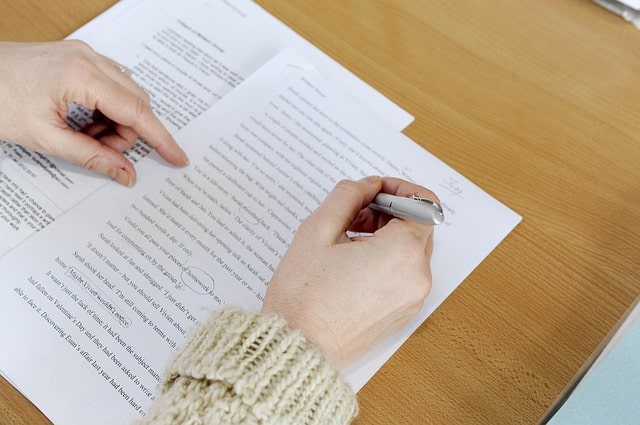
- Draft without interference
Write freely. Don’t open Grammarly mid-sentence or run Hemingway before the thought is finished. Let the draft live before critique steps in. - First pass with AI
Choose the right tool for your goal: Grammarly for tone and clarity, Hemingway for structure, ProWritingAid for deeper analysis. Let it surface the habits you’ve stopped noticing. - Second pass with your voice in mind
Now that you can see the patterns, decide what stays. Keep the passive voice if it fits. Embrace a cliché if it serves the tone. Use AI to inform — not override — your style. - Final human read-through
Read aloud. Feel the flow. Check that edits preserved your meaning and tone. This step confirms your intent made it through the noise.
This layered process prevents over-editing and builds better awareness. AI is most powerful when paired with metacognition — writers actively thinking about their writing as they edit.
Better Writing, One Quiet Fix at a Time
Good writing isn’t about perfection — I t’s about attention. An extra adverb here, a tired phrase there, a vague sentence that says nothing — these things add up. AI tools help catch them before they dull your voice.
Used wisely, they create space: for sharper ideas, deeper edits, writing that sounds more like you. They don’t do the work for you — they amplify what’s already there.
The true power of AI lies not in replacing human creativity but in enhancing it. That’s the goal: not automation, but collaboration — for a smarter edit and a stronger draft.
Ready to Sharpen Your Writing?
The best writers aren’t just creative — they’re curious. They use every tool at their disposal to improve clarity, strengthen voice, and better connect with their readers.
If you’re ready to level up — with smart, human-centered editing and guidance — we’re here to help. Whether you’re building a book, developing a blog strategy, or just trying to get unstuck, our team can bring your ideas to life.
Reach out to The Writers For Hire — and let’s make your next draft your best one yet.